See how you got here
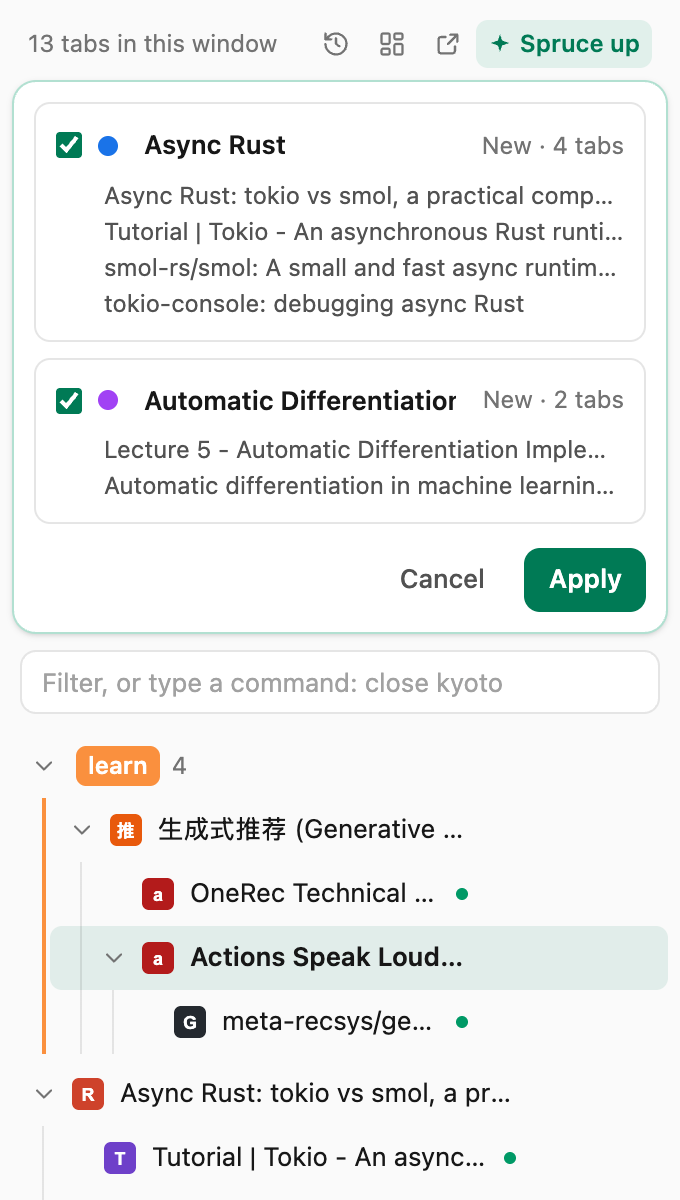
Every tab sits under the page you opened it from, so a research session reads like a path instead of a pile. Groups look just like Chrome’s, and you can drag whole branches around.
 SpruceTab
A Chrome extension for people with too many tabs
SpruceTab shows your tabs as a tree, puts every new tab in the right group, and keeps everything you close. When you come back, it tells you where you left off.
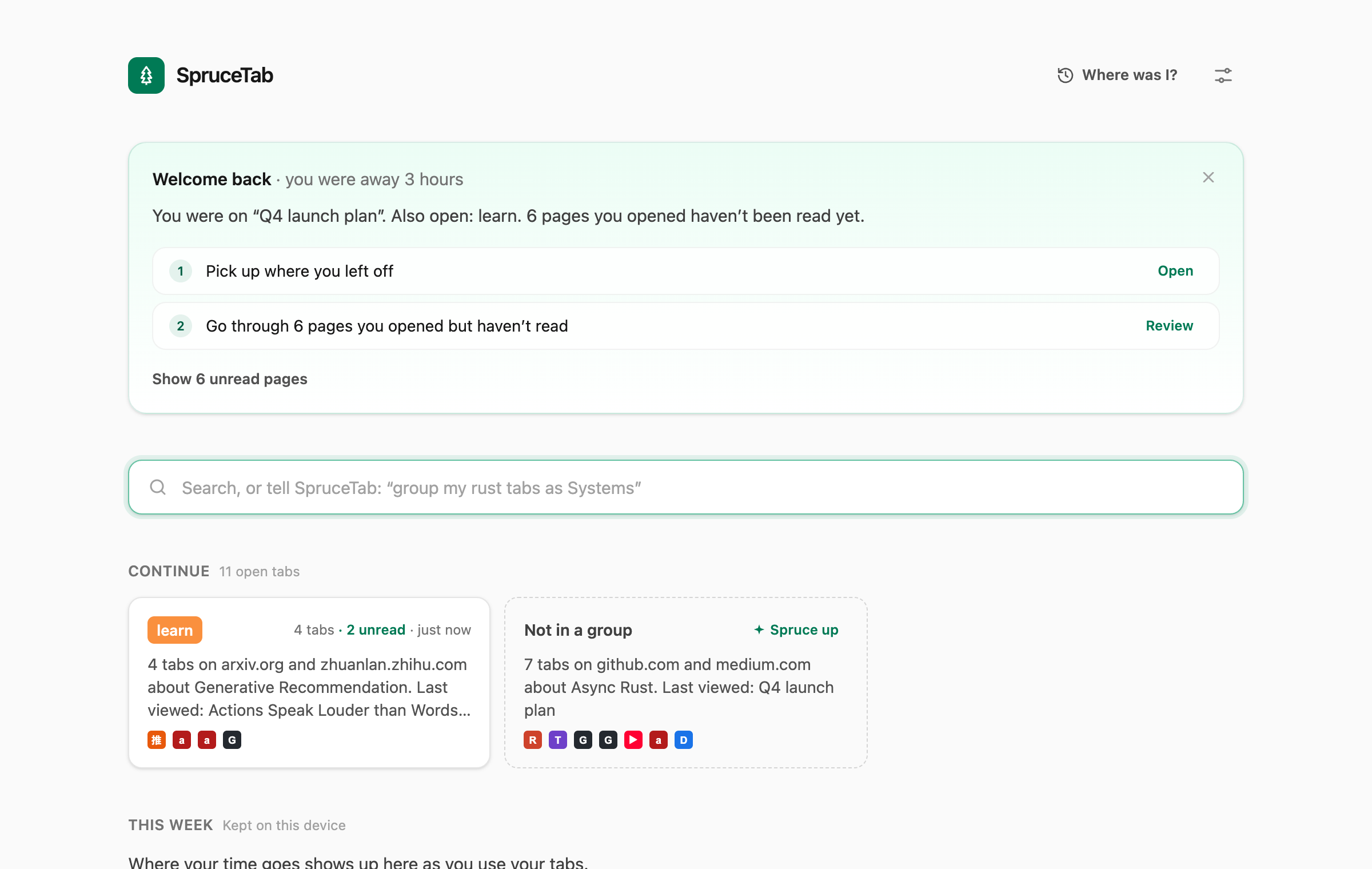
Every tab sits under the page you opened it from, so a research session reads like a path instead of a pile. Groups look just like Chrome’s, and you can drag whole branches around.
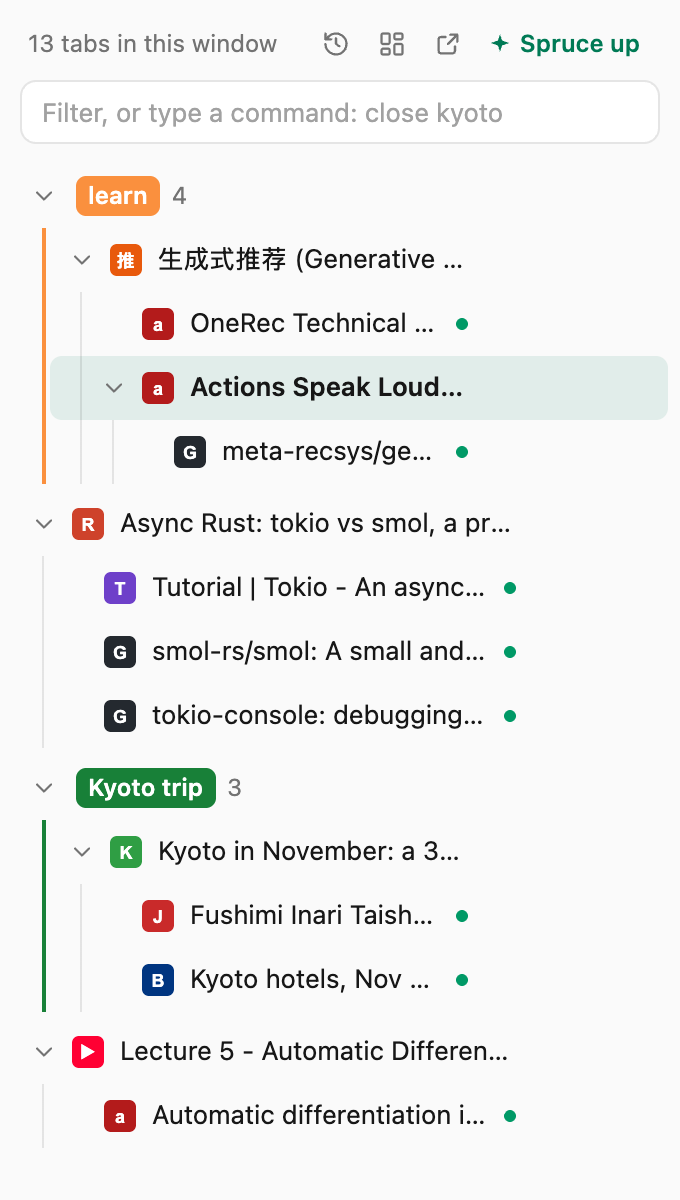
Press ⌘T inside a group and the tab joins it. Open something unrelated and it moves out. Links from Slack or email go to the group that already has that site, and with AI on, a page about what a group is about finds its way there too. Every move says why, with one-click Undo, and SpruceTab learns from your corrections.
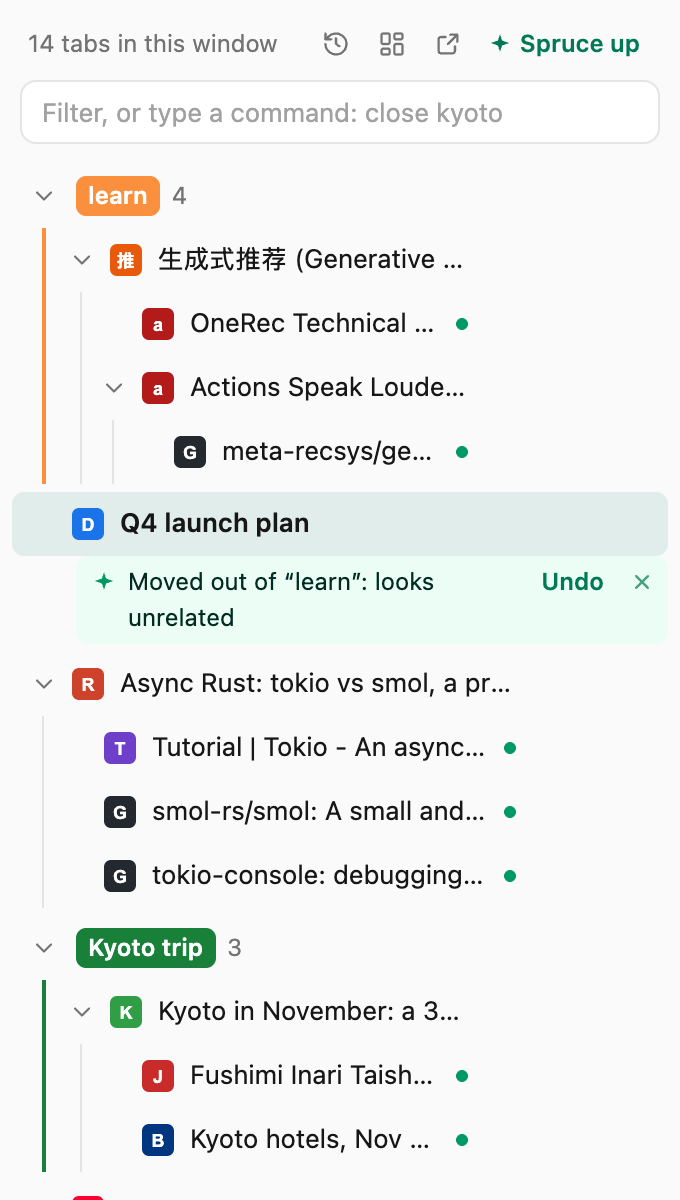
Come back after lunch, a meeting or a restart, and the new tab page tells you what you were doing, which pages you opened but never read, and what to do next. One click picks up where you left off.
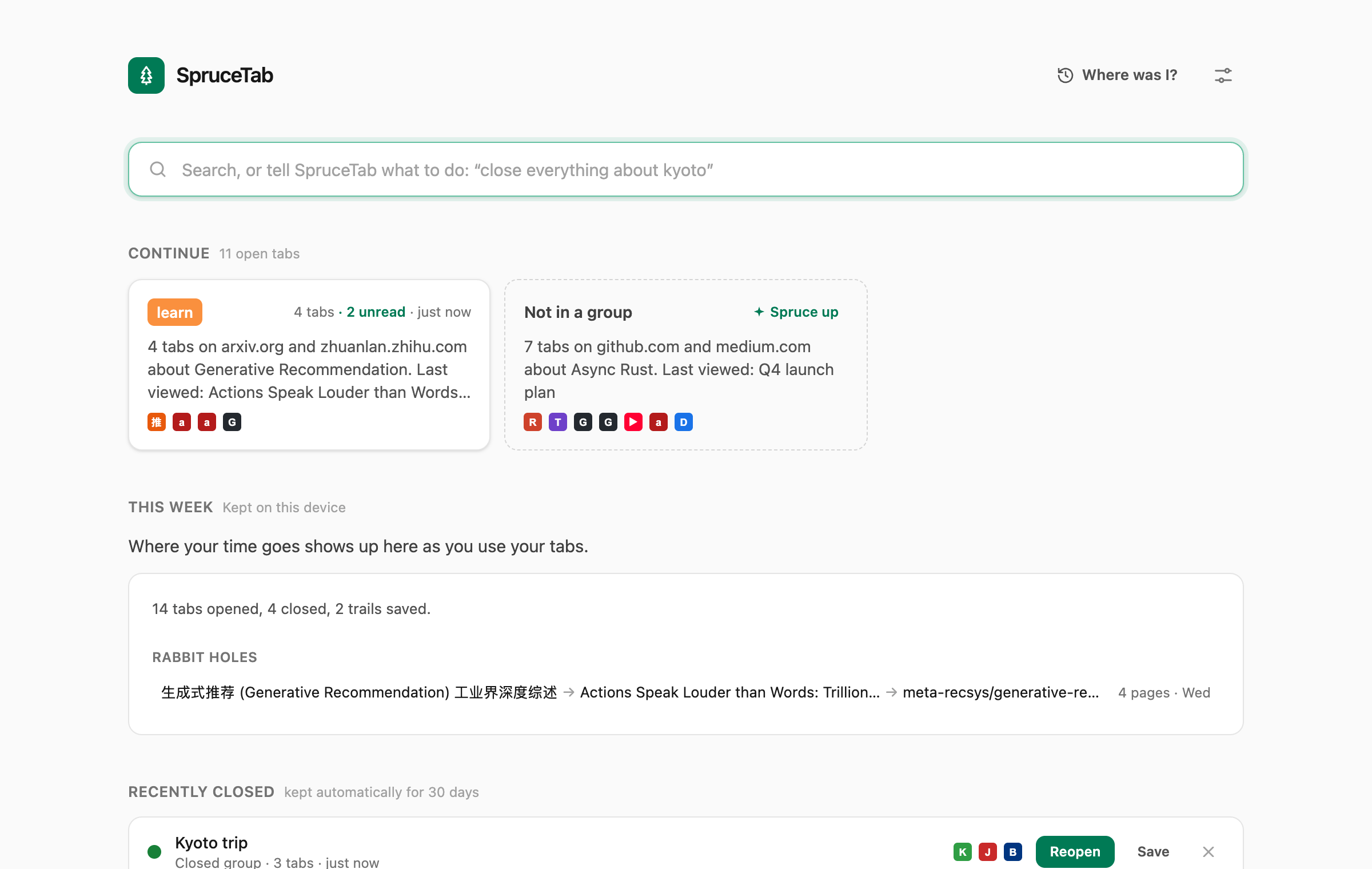
Type “close everything about kyoto” or “group my rust tabs as Systems” into the new tab page, or st and a space in the address bar. You see exactly which tabs will change. Then it’s one Enter, and one Undo. Ask in plain words, too: “where’s that paper on transducers?” finds the tab or saved trail it’s in.
Closed groups and windows are kept for 30 days and reopen as the same tree. Save any branch to your board with a summary, then share it as a clean page, as Markdown, or as context for your AI assistant, after a privacy check that strips secrets.
Tabs that pile up outside groups get grouped once you pause, each change with a note and Undo, or suggested first if you prefer. Duplicates are caught even at different addresses (a paper’s abstract and its PDF), groups about one topic can be merged and two-topic ones split, and research that has gone quiet is offered for saving with a summary. It learns from your corrections, and runs on Chrome’s on-device AI, Claude, or another provider with your own key.
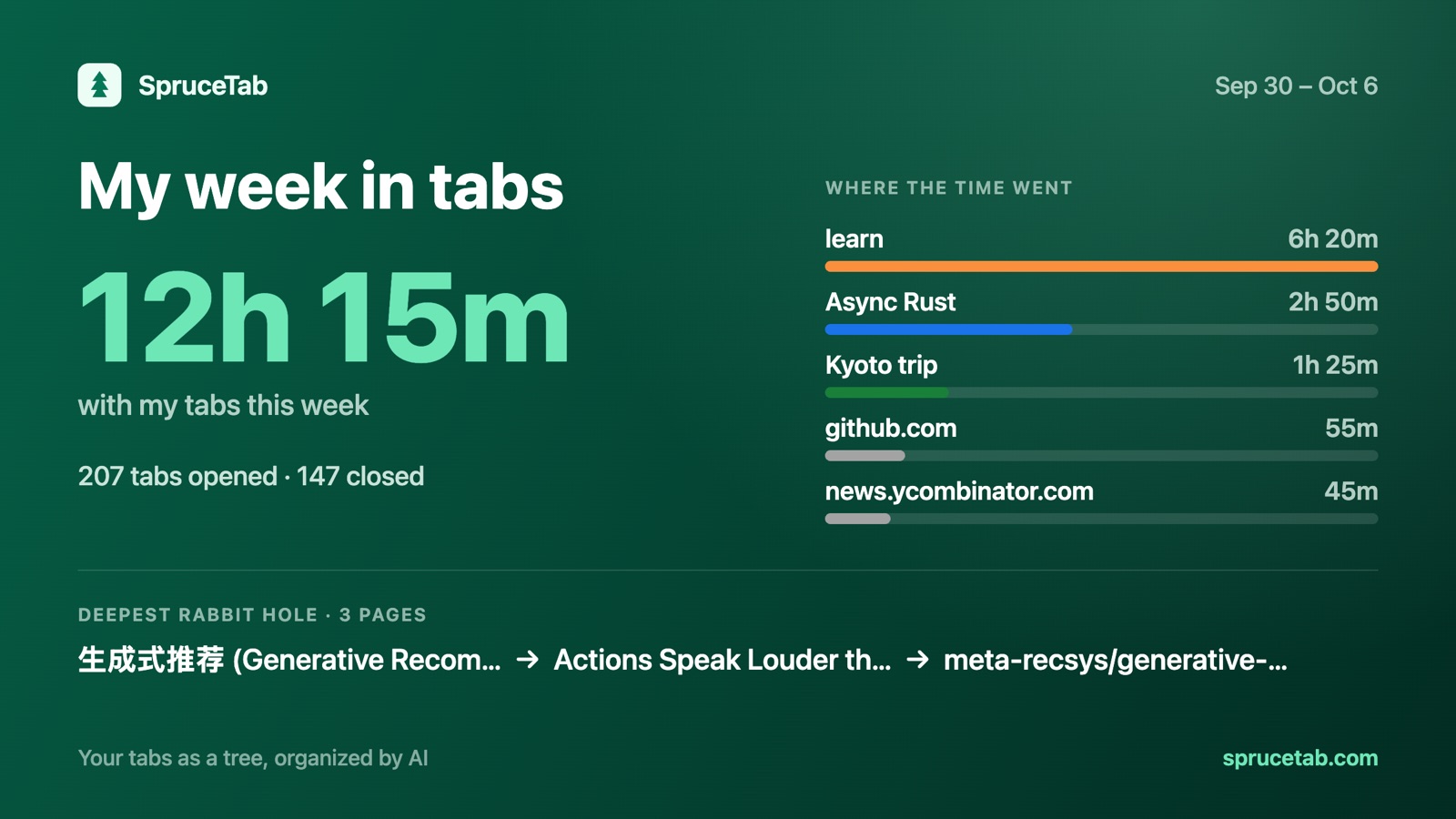
See where your time went, group by group, and how deep your rabbit holes went. Share a picture of your week if you like: it’s made on your device, and you choose whether names and page titles are on it.
Your tabs stay on your device. There are no accounts, no tracking and no analytics. AI runs on-device or with simple rules; if you choose Claude or another AI provider with your own key, only tab titles, site names and group names are sent, never page content or full addresses.
Free for Google Chrome. Coming soon to the Chrome Web Store.
Add to ChromeBringing tabs from OneTab, Tabs Outliner or bookmarks? Import them in one step.